AIOZ Storage MCP Server Review: AI Agent Tools, Features, and Integration Capabilities
Review summary
The AIOZ Storage MCP Server launched on October 12, 2026, providing 22 tools that let MCP-compatible AI agents manage S3 object storage and vector databases through natural language prompts.
The AIOZ Storage MCP Server review examines a new service that connects AI agents to decentralized storage. Launched on October 12, 2026, it exposes 22 tools via the Model Context Protocol so agents can create buckets, manage objects, and query vectors without writing custom code. The server runs at https://mcp.aiozstorage.network/sse and works with clients such as Claude Desktop, Cursor, and VS Code with GitHub Copilot.
AIOZ Storage MCP Server Features and Tool Categories
The server organizes its 22 tools into five groups that cover both S3-compatible object storage and vector database operations. Bucket tools allow agents to list, create, and delete S3 buckets. Object tools handle listing, reading up to roughly 4 GiB per operation, metadata inspection, presigned upload links with configurable expiry, copying, and deletion. Vector tools support creation and management of vector buckets, indexes with cosine, Euclidean, or dot-product distance, and up to 4,096 dimensions.
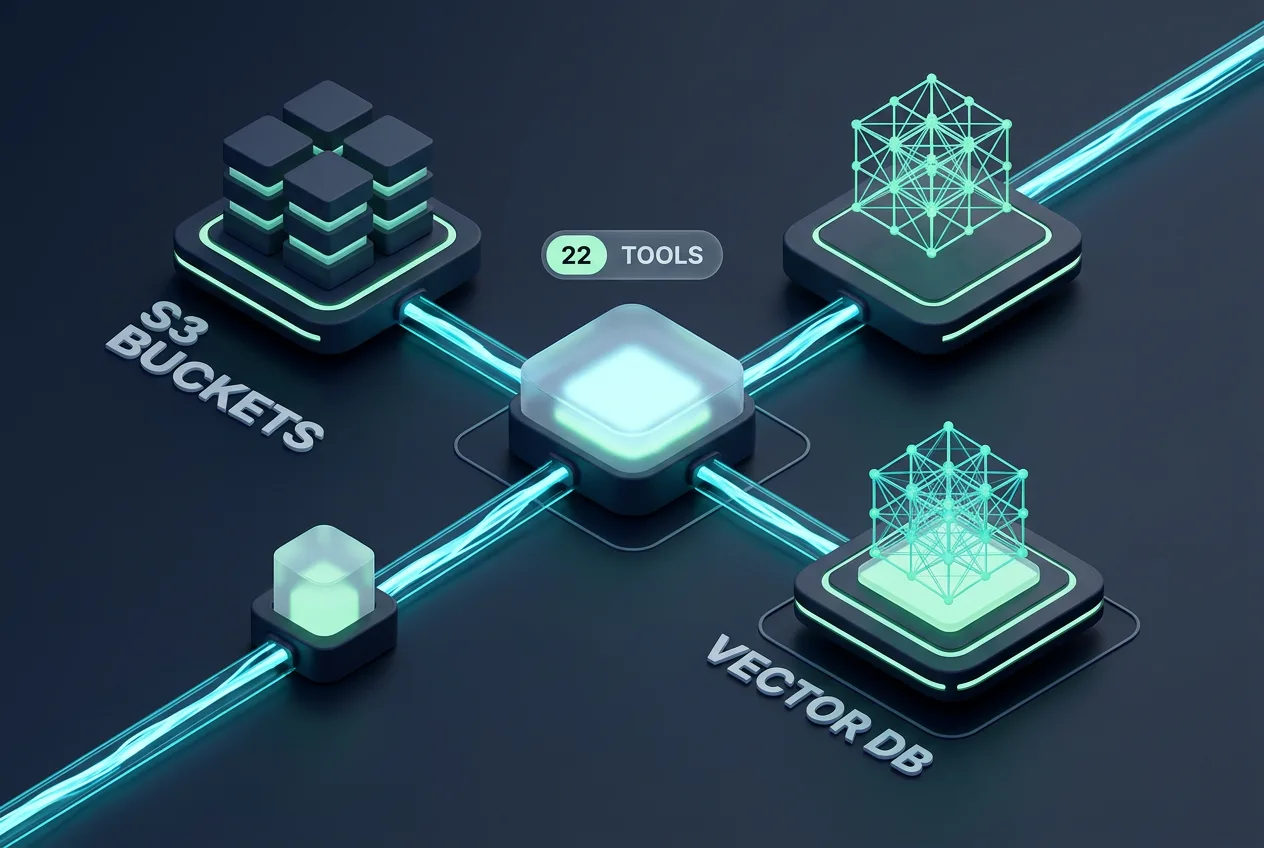
Vector operations include batch inserts of up to 500 vectors per call, retrieval, listing, deletion, and filtered queries that return between 1 and 100 results. All actions occur through natural-language prompts once the agent connects to the server endpoint. The MCP standard functions like a universal interface that lets compatible AI applications call external tools without per-service integrations.
Access requires AIOZ Storage credentials supplied through scoped grants created in the dashboard. Grants can be limited to specific buckets or set to all buckets, supporting least-privilege principles. After initial setup, agents reuse the stored credentials for subsequent calls.
Integration, Security, Pricing, and Practical Use
Users begin by generating an S3 Access Grant or Vector Access Grant in the AIOZ dashboard, then add the server URL to an MCP client. The typical workflow involves prompting the agent to perform storage tasks once the connection is active. Larger file transfers still rely on standard S3 clients because the MCP layer focuses on coordination and smaller reads. No public rate limits appear in current documentation.
Security relies on per-call credential checks and scoped grants rather than embedding keys in every prompt. Credentials remain in the client environment where possible. The service forms part of the AIOZ decentralized storage network that also includes IPFS and streaming MCP servers. Pricing details tied directly to the MCP server are not published; usage occurs within the broader AIOZ Storage platform that charges in the native AIOZ token for storage and bandwidth.
Because the server went live only days before this review, public user reviews remain limited. Early discussions on developer forums note reliable tool responses for basic bucket and index tasks, while some users request clearer documentation on maximum vector dimensions and query latency. Complaints center on the absence of built-in rate-limit information and the need to fall back to direct S3 clients for files above a few gigabytes.
Competitor Comparison, Limitations, and Final Verdict
Two comparable offerings include MinIO AIStor in technical preview and Microsoft Azure MCP connectors. The table below summarizes key differences based on publicly available information.
| Aspect | AIOZ Storage MCP Server | MinIO AIStor | Azure MCP Connectors |
|---|---|---|---|
| Launch date | October 2026 | 2025 (preview) | 2025 |
| Vector support | Yes, native | Limited | Via separate services |
| Tool count | 22 | Not disclosed | Varies by connector |
| Transport | HTTP SSE | HTTP | HTTP |
| Credential model | Scoped grants | API keys | Azure AD |
Limitations include the 4 GiB read cap per MCP operation, lack of documented rate limits, and reliance on external S3 clients for large transfers. The service is new, so long-term reliability data and client compatibility lists are still emerging. No public incidents have been reported as of October 21, 2026.
The AIOZ Storage MCP Server supplies a practical bridge between agentic AI workflows and decentralized object and vector storage. Its 22 tools cover essential bucket, object, and vector operations, and the MCP interface reduces custom integration work. Users should verify current documentation for rate limits and test file-size handling before production use.
Frequently asked questions
How do I connect an AI agent to the AIOZ Storage MCP Server?
Create a scoped access grant in the AIOZ dashboard, then paste the server URL https://mcp.aiozstorage.network/sse into a compatible MCP client such as Claude Desktop or Cursor.
What file size limits apply when reading objects through MCP?
The MCP layer supports reads up to approximately 4 GiB. Larger files require direct S3 client connections using presigned URLs generated by the server.
Does the AIOZ Storage MCP Server charge separate fees?
No separate MCP pricing is published. Storage and bandwidth usage are billed through the standard AIOZ Storage platform in AIOZ tokens.
Which vector distance metrics does the server support?
Indexes accept cosine, Euclidean, and dot-product distance calculations with a maximum of 4,096 dimensions.
Are there published rate limits for the MCP tools?
Official documentation does not list rate limits at this time. Users should monitor the knowledge hub for updates after launch.
Comments 8